Settings Guide for
Battle Intel
The following are settings for first time setup and additional settings.
When the app is first launched, you will be shown the Settings window. The only required steps are to enter the path where the game is installed, choose your region, and click Save Settings.
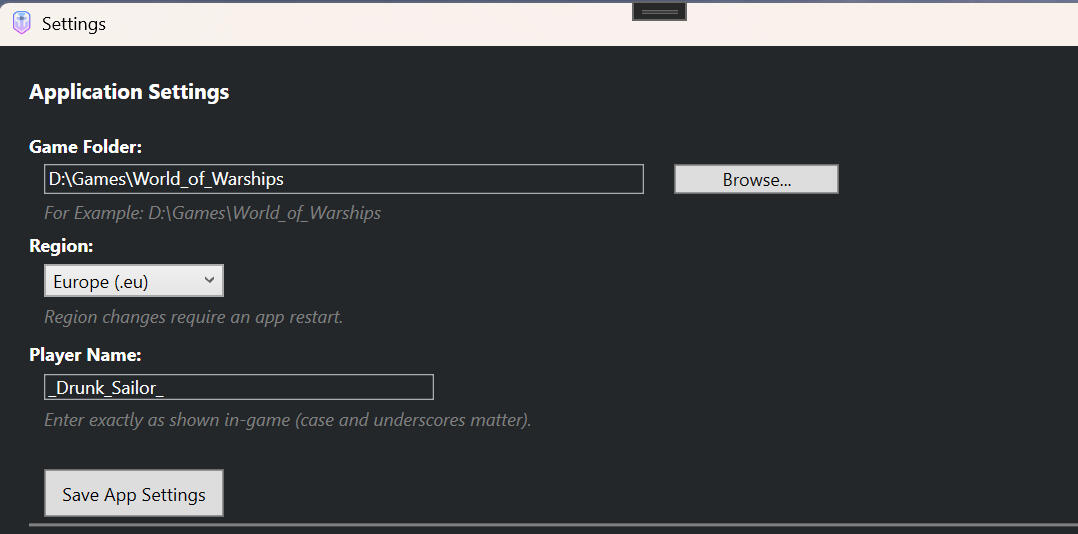
First you, you must select the folder where World of Wharships is installed.
Then select the region you normally play in.
Next, add your player name. Please note to spell it correctly and if you have set your War Gaming player profile to be hidden, the application will not be able to download your lifetime stats.
Lastly click "Save App Settings".
Thats it, you can now close the settings window and the application will be ready for your first match.
UI and Hotkey Settings
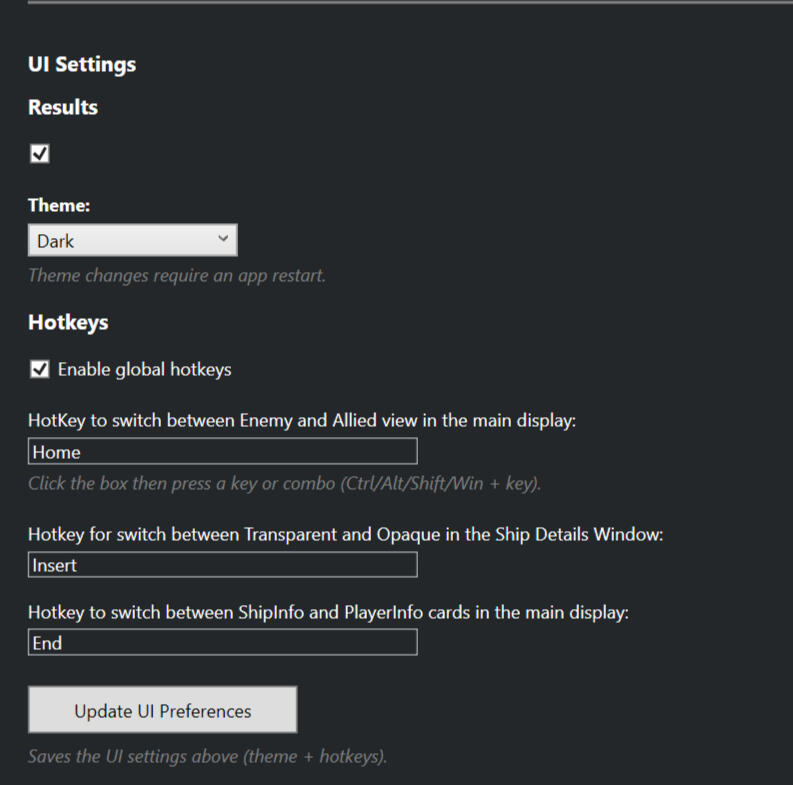
Here you can change the theme and the hotkeys for the Main UI (Match Monitor).
To change the "Hotkey", click in the box and press the key (or key combo) you would like to have instead of the default.
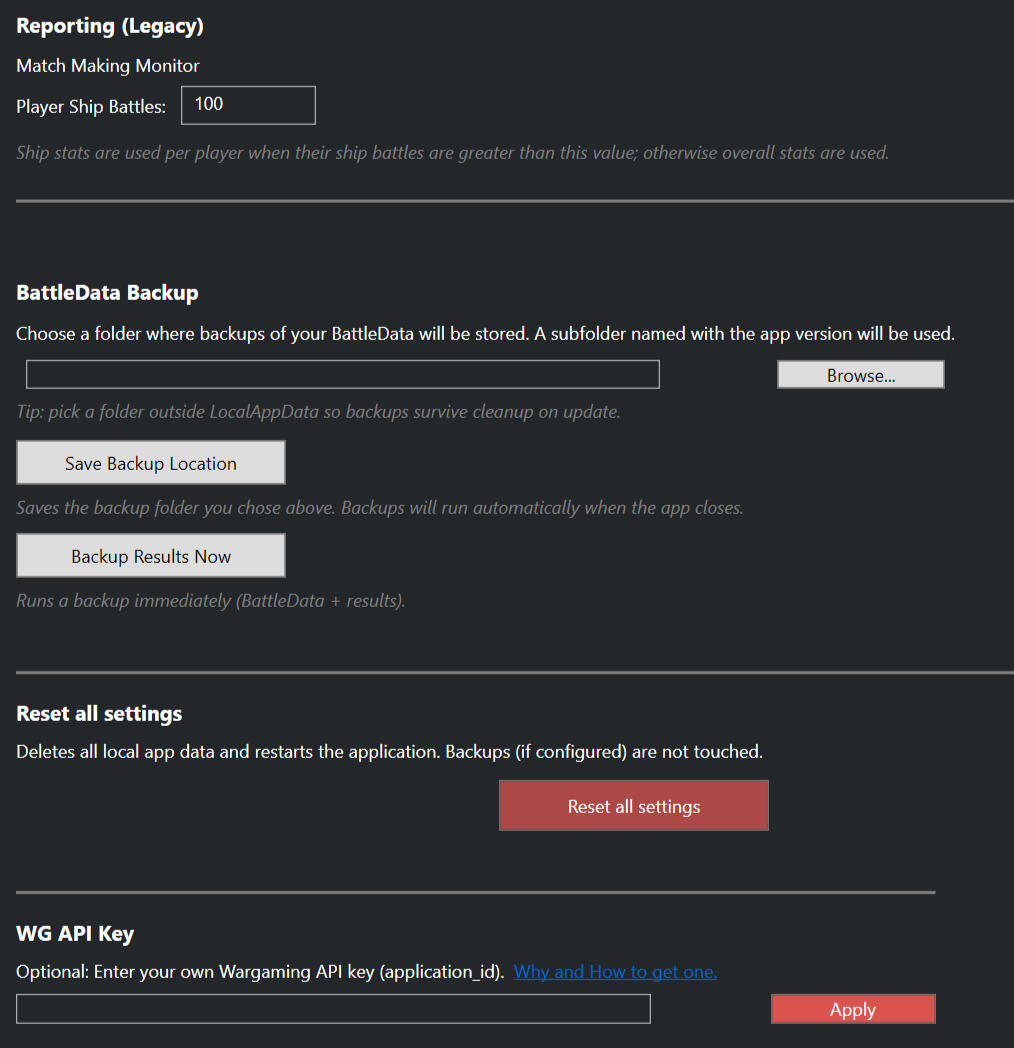
Reporting:When calculating the team strength, by defualt the Main UI and Match Making reports will use a players Ship WR if the player has over the number of battles stated in this field (by default 100).BattleData Backup:Here you can select where to backup your data.Reset all settings:Self explanatory.WG API KeyIf you would like to use your own key, please feel free to enter it here.
Application Guide
Some other tips
Main Screen
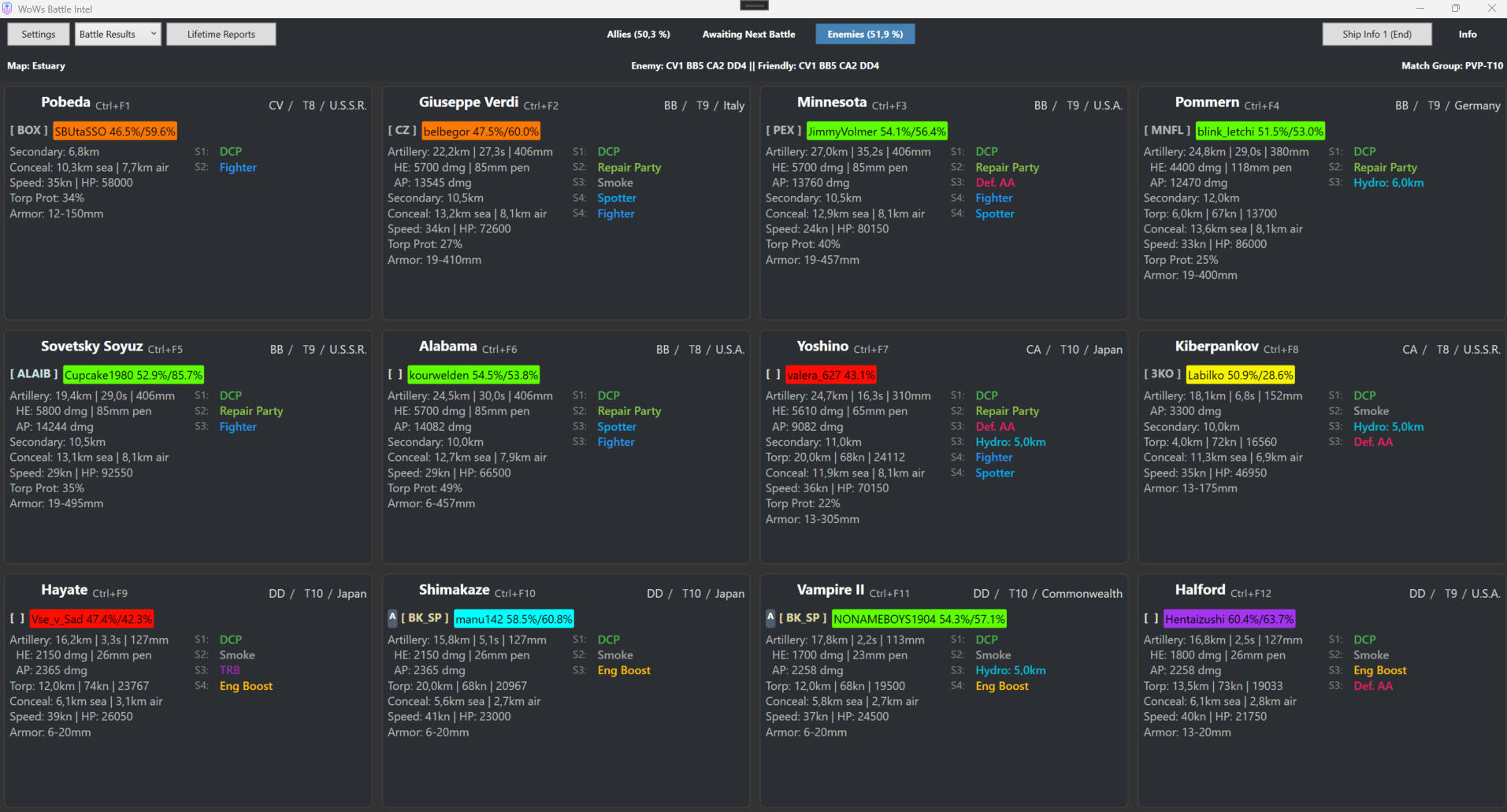
On the Main UI Screen, once a battle has started you will see at the top the non weighted win rates of each team. In the main body of the window you have 12 cards. One for each ship.
You may alternate between Enemy and Ally team by clicking on "Allies" or "Enemies", or by using the selected Hotkey.
You may also get more Ship info by click on the Ship Info button at the top or the pressing the choses hotkey for this.
Additionally, you may click on a ship card or press Ctrl+F1 (to 12) to bring up the bigger Ship information window.Lastly, for individual battle results, click on the Battle Results button and for your life time stats, click on Lifetime Reports.